
To get started, make sure you have your Ghana card in hand and know your Street Address or landmark description. You can only verify your account after registering your account with your mobile number (Click here to learn more). Next, go to the Profile section of your Account or click on start now to attempt applying for credit the first time.
Complete the verification process by following these steps:
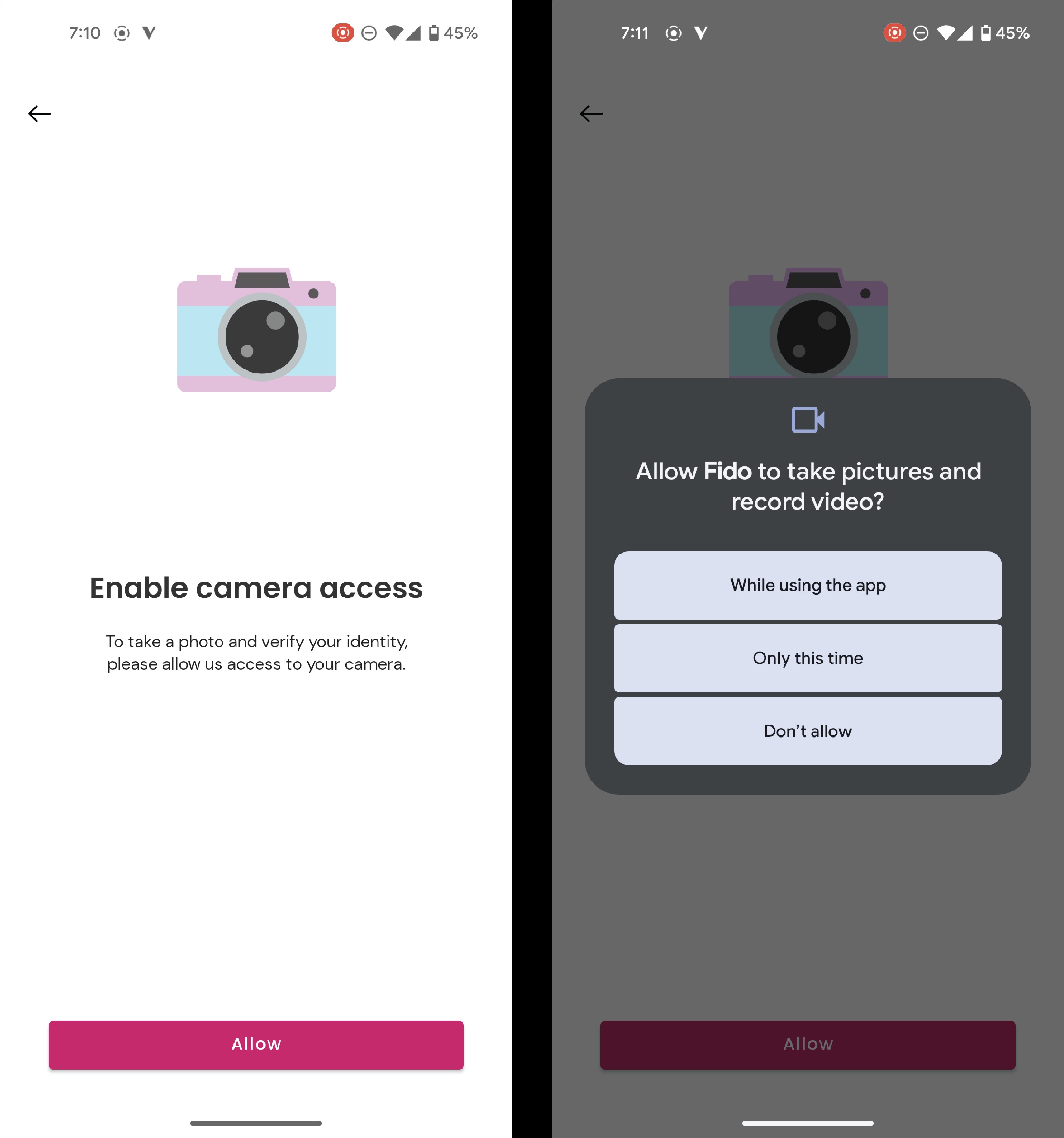
1. Enable camera access on your android or iOS device, by:
- Selecting the ‘Allow’ button to give access to the Fido App to use your camera.
- Select “While using the app” from the available options.
2. Verify your Ghana Card:
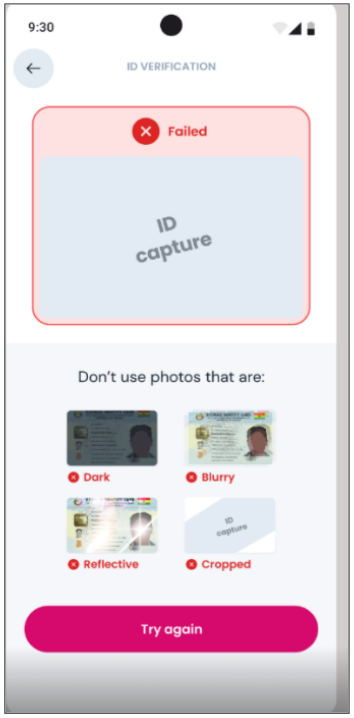
- Take a clear photo of your Ghana Card or upload one from your phone gallery.
- Ensure all card details and text are visible and not blurred.
- Capture all four corners of the card within the camera frame.
- Review the Ghana Card number displayed after capture to confirm it is correct, then proceed.
3. Complete your face verification:
Take a selfie by following the instructions shown on the app screen.
You may be asked to perform actions such as smiling or looking over your left shoulder.
- For a smooth process:
- Take the photo indoors with good lighting.
- Look directly into the camera and keep your entire face within the circle shown on the screen.
- Use a clear background where possible and ensure no other faces appear in the background.
- Remove any face coverings or masks.
4. Fill in your personal details exactly as they appear on your Ghana Card:
- First name
- Middle name (if applicable)
- Surname
- Date of birth (month, day, and year)
- Gender
- Then tap “Continue” to proceed.
5. Lastly, provide your address information and tap “Submit” to complete your account verification process.
Once these steps are done, your Fido account will be fully verified, and you can access all services, including applying for credit.
